Affiliate Disclosure:
Some of the links in this post are affiliate links. This means I may earn a small commission at no extra cost to you if you choose to make a purchase. I only recommend tools and resources I personally use and trust. Your support helps keep these tutorials free.

In this beginner-friendly tutorial where we will be creating a geometric origami bird using Affinity Designer. This tutorial is designed to be a simple follow-along exercise that mimics the joy of connecting the dots in a book. The only tool we will need is the pen tool, making it accessible to anyone with basic knowledge of vector design programs. Whether you’re using Affinity Designer or any other vector software that features a pen tool, you’re all set to create your multicolored origami bird.
Difficulty: Very Simple
Program: Affinity: Vector Studio. (or any Vector program with a pen tool)
The beauty of this project lies in its simplicity and the creative freedom it offers. By following the numbers and placing nodes or anchor points in the designated boxes, you’ll see your bird come to life, one shape at a time.
Note: This tutorial assumes you have a basic understanding of Affinity, and the Vector Studio.
Click here to download the follow along for this tutorial. Ive set the blend mode on the Steps layer to Multiply, and reduce the transparency to about 50%. Adjust the opacity if needed. Use the Follow Along layer to follow along.
Body
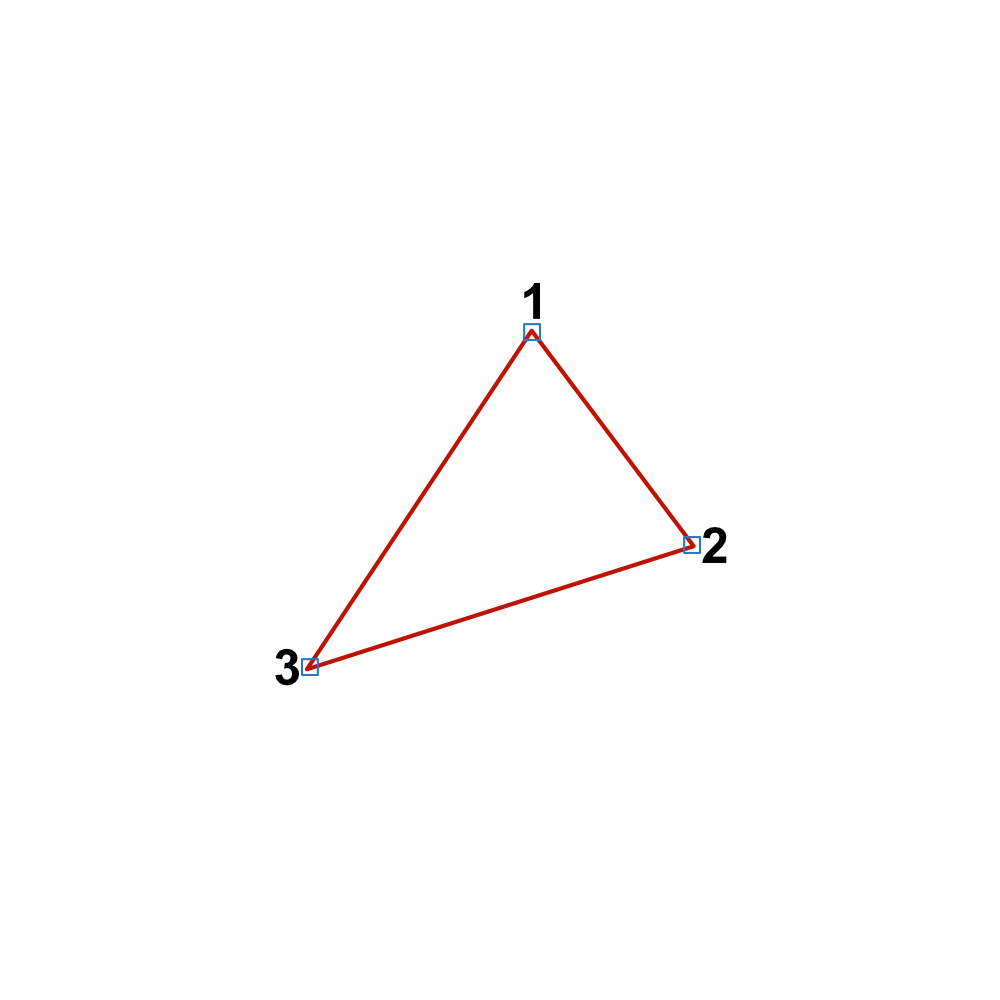
Begin by placing nodes in Square 1, then proceed to Square 2, and close the shape with Square 3. This will form the main body of your origami bird.
Neck
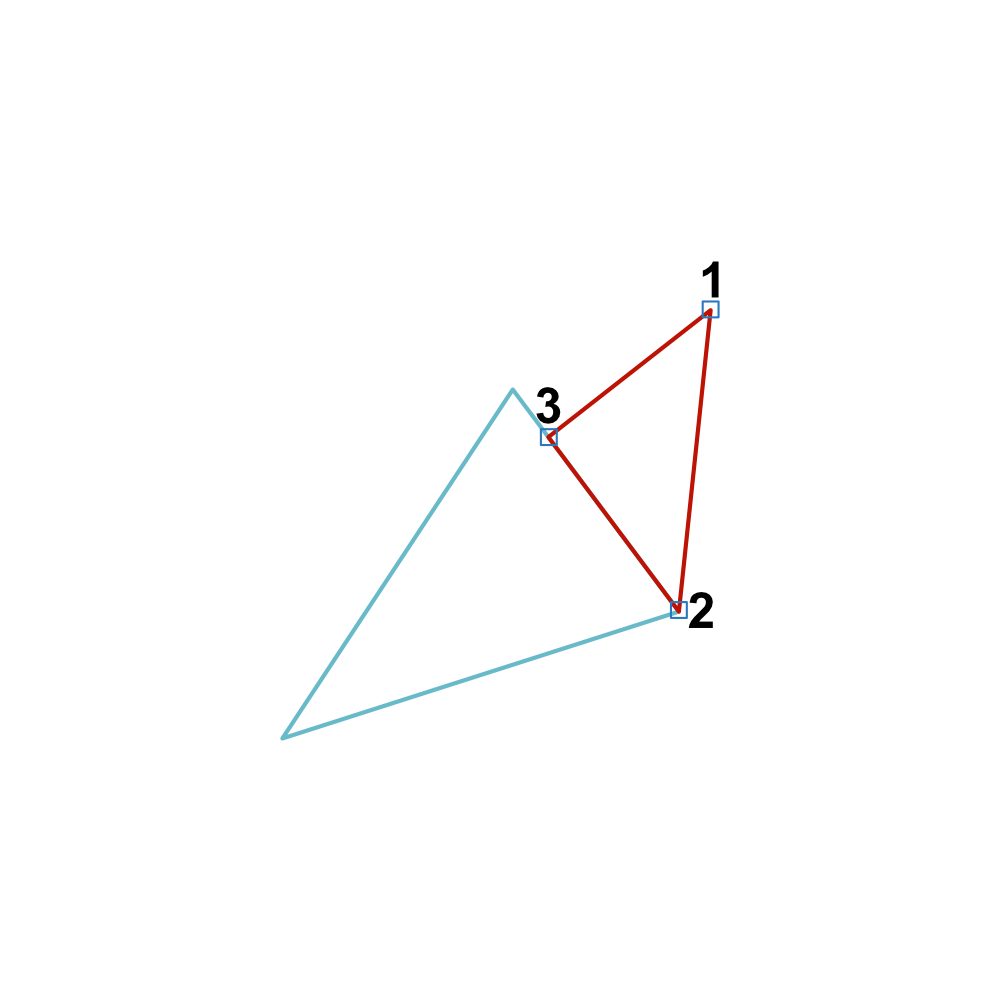
Next, we’ll create the neck. Follow the numbers to seamlessly connect to the body.
Head
The head of the bird is crucial for its character. Place your nodes carefully to capture the essence of your bird’s personality.
Tail
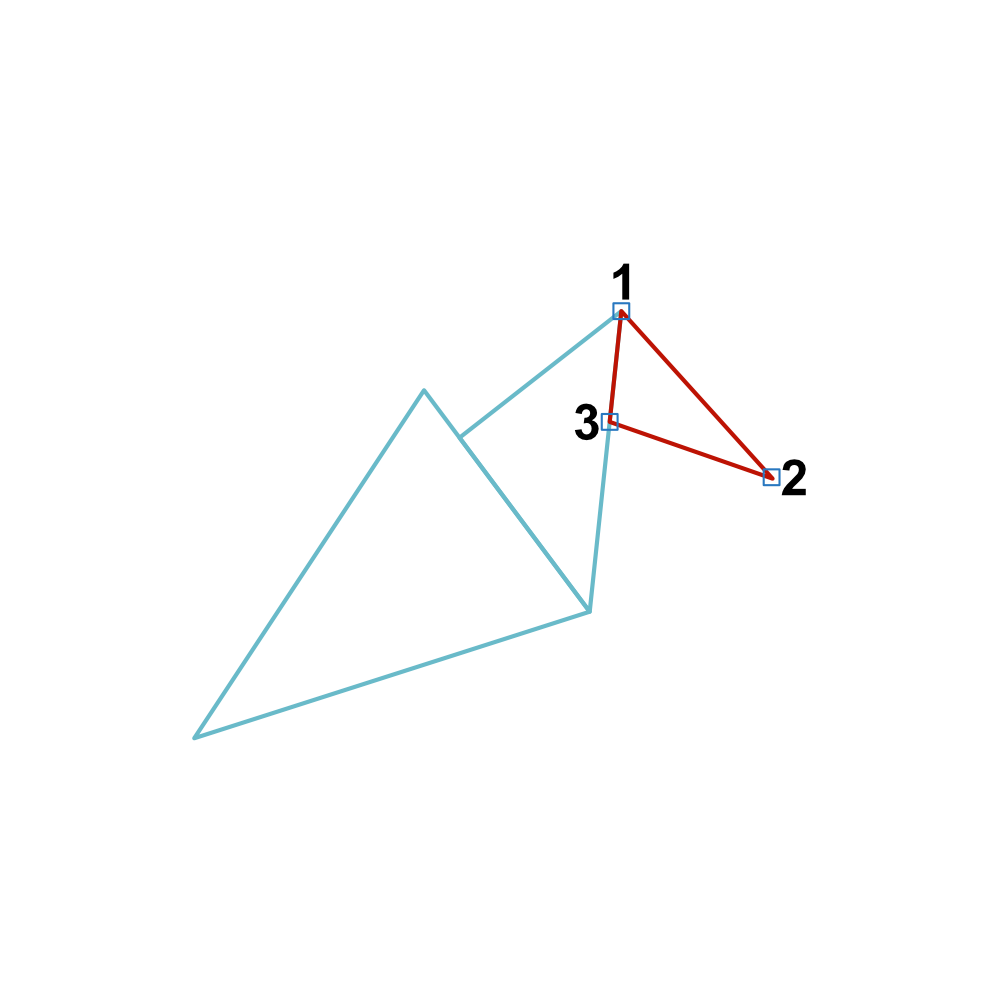
The tail adds balance and beauty to your bird. Follow the numbers to create a graceful tail that flows from the body.
Large Wing
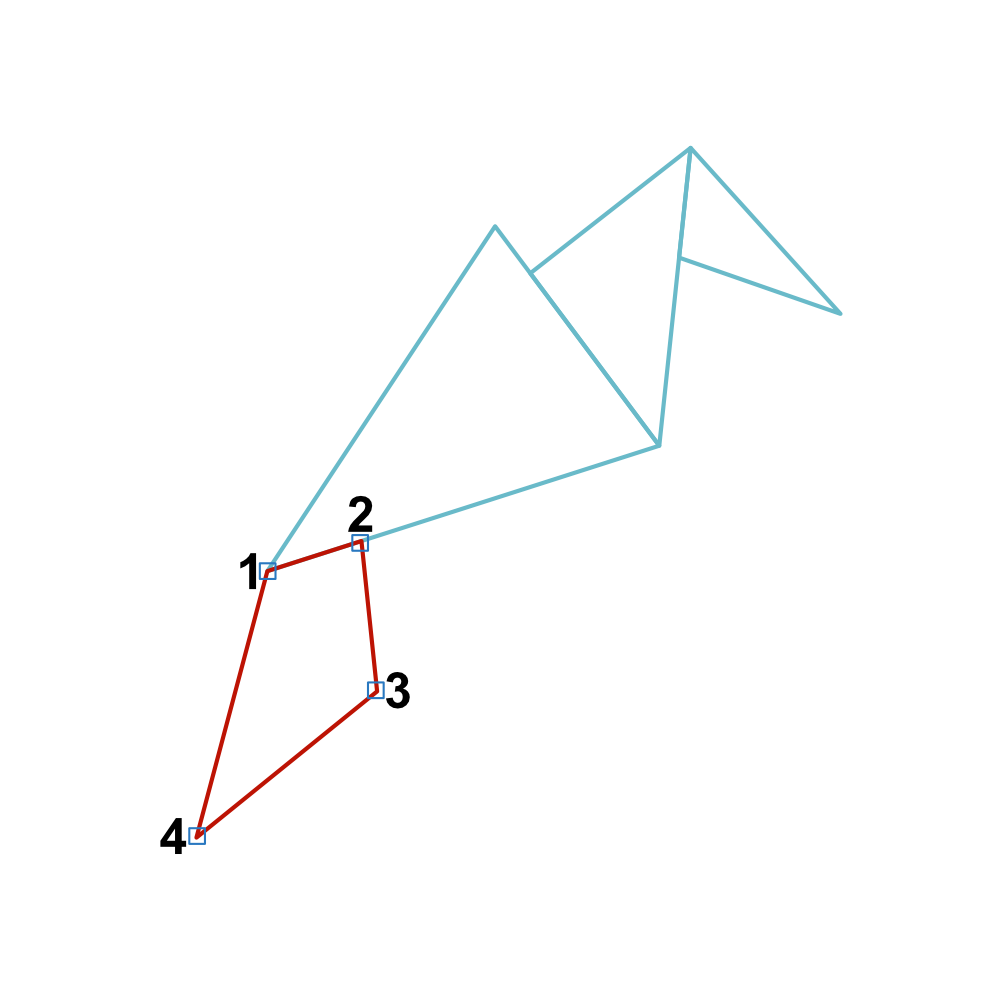
The large wing is a defining feature of your bird. This step will add depth and dimension to your creation.
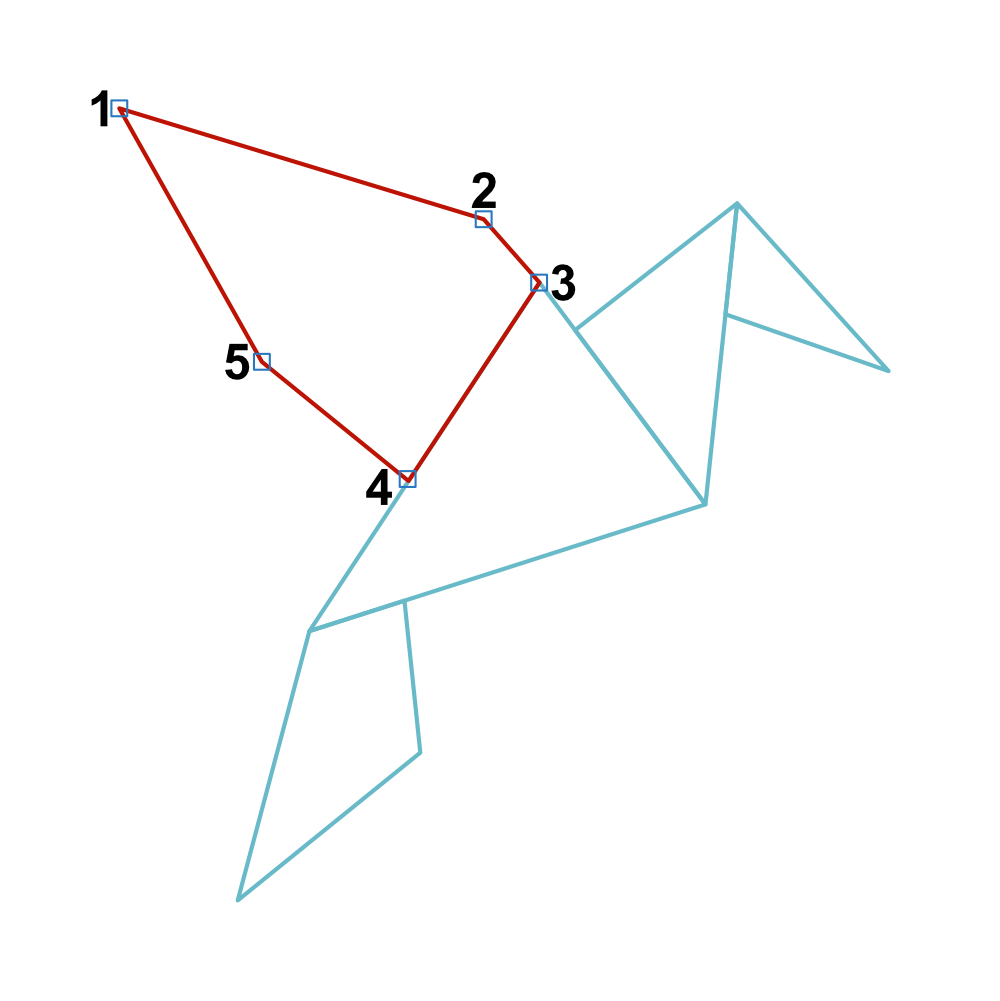
Small Wing
Finally, the small wing. This detail, though smaller, is just as important as the large wing for symmetry and detail.
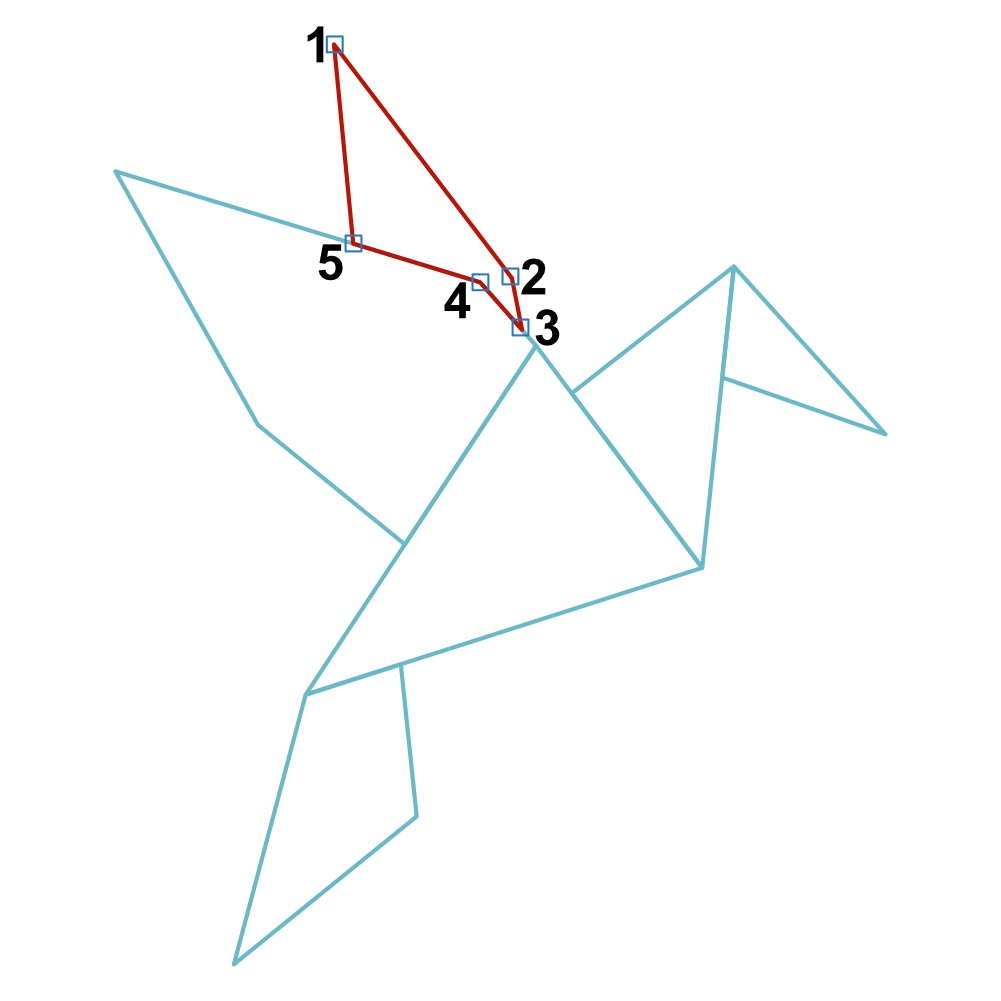
You’ve just completed your geometric origami bird. This tutorial was designed to be a simple, enjoyable experience, allowing you to create something beautiful with minimal tools and steps. The process of connecting nodes to bring your bird to life is not just about following numbers; it’s about discovering the joy of design and creation.
I hope you found this tutorial helpful and inspiring. If you did, please consider liking and following me on social media. Your support helps us create more content like this. Share your creations, I’d love to see the beautiful birds you’ve designed. If you have and questions, feel free to reach out, and I will get back to you as soon as possible. Happy designing!
Help support my work.
I love creating free tutorials and sharing what I learn along the way.
If this post was useful, you can support my work by buying me a cup of coffee ☕
It helps keep everything free and ad-free for everyone.
Comments are disabled to keep the site focused and spam-free. If you have a question, please use the Contact page.